

There have been a few minor updates to the module to fix bugs since its initial release, but today’s release brings a couple of interesting new things
- Support for VCF 9.0.1.0
- A contents transfer feature that will allow the user to transfer their hard work from an older version of the Planning & Preparation Workbook into the version supported by the module.
- General bug fixes (thanks for the feedback!)
The second feature is something that I’ve been meaning to get to for a while. It works by reading the named cells for inputs and choices from the source file, and injecting them into the corresponding fields in the new template. We keep an internal record of fields that have been deprecated or remapped to new names so that we can maximise the effectiveness of the transfer.
Quick Example Workflow
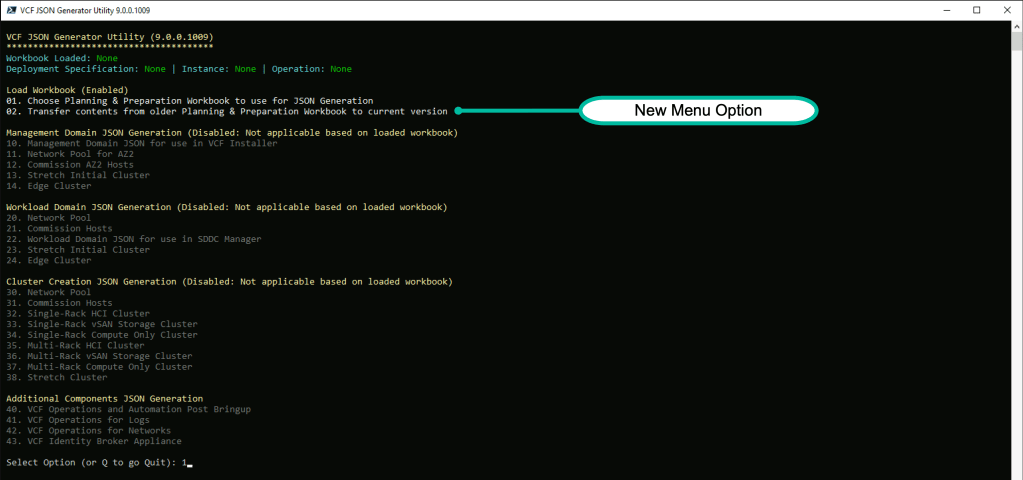
After launching VCF.JSONGenerator you will see a new menu item (2) for content transfer

Here we see us attempting (and failing) to load the file we had been working on (in the older version of Planning & Preparation workbook) named sfo-instance-simple-bringup.xlsx
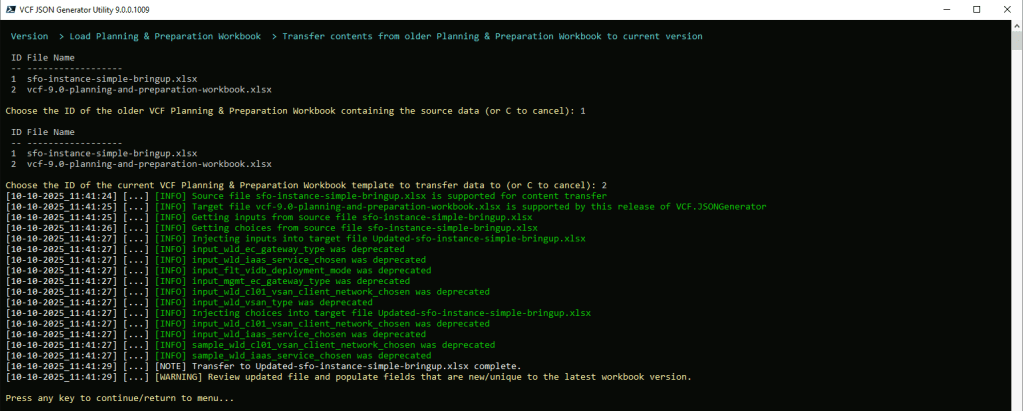
Choosing Option 2 prompts you to select the source file and the newer template. It copies the template file, and creates a new file in the format ‘updated-<your-original-filename> and ports the data over.
Note: While the transfer process can take care of transferring data (including remapped fields) it cannot handle things that were introduced for the first time in the later version of the file, so take heed of the warning to crack open the file and address any fields that need to be populated for existing or newer workflows within the workbook.
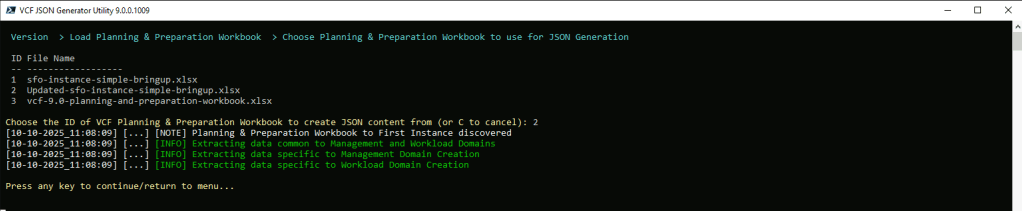
Finally, we can reload the updated file using Option 1 and we can continue with our JSON generation.
Module is posted here
https://www.powershellgallery.com/packages/VCF.JSONGenerator/9.0.0.1009


Leave a Reply